Tracker 1
Income & Expense Tracker
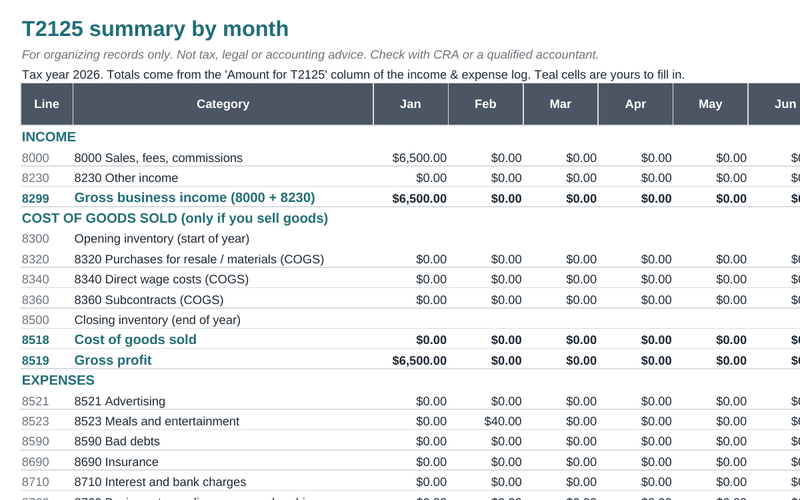
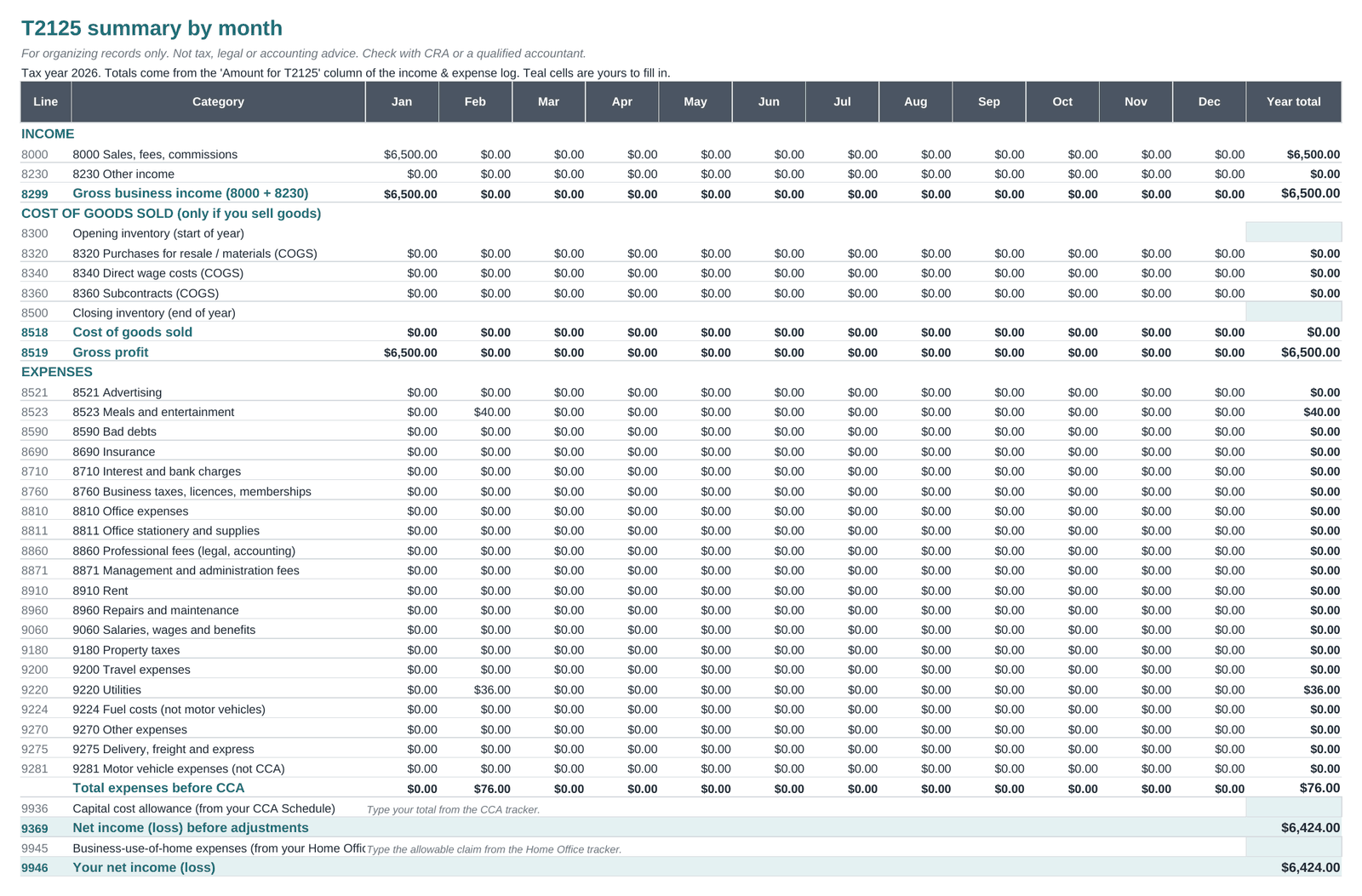
25 T2125 categories, business-use %, the 50% meals limit, ITCs kept out of expenses, and a month-by-month summary to net income (line 9946).
CA$7Buy
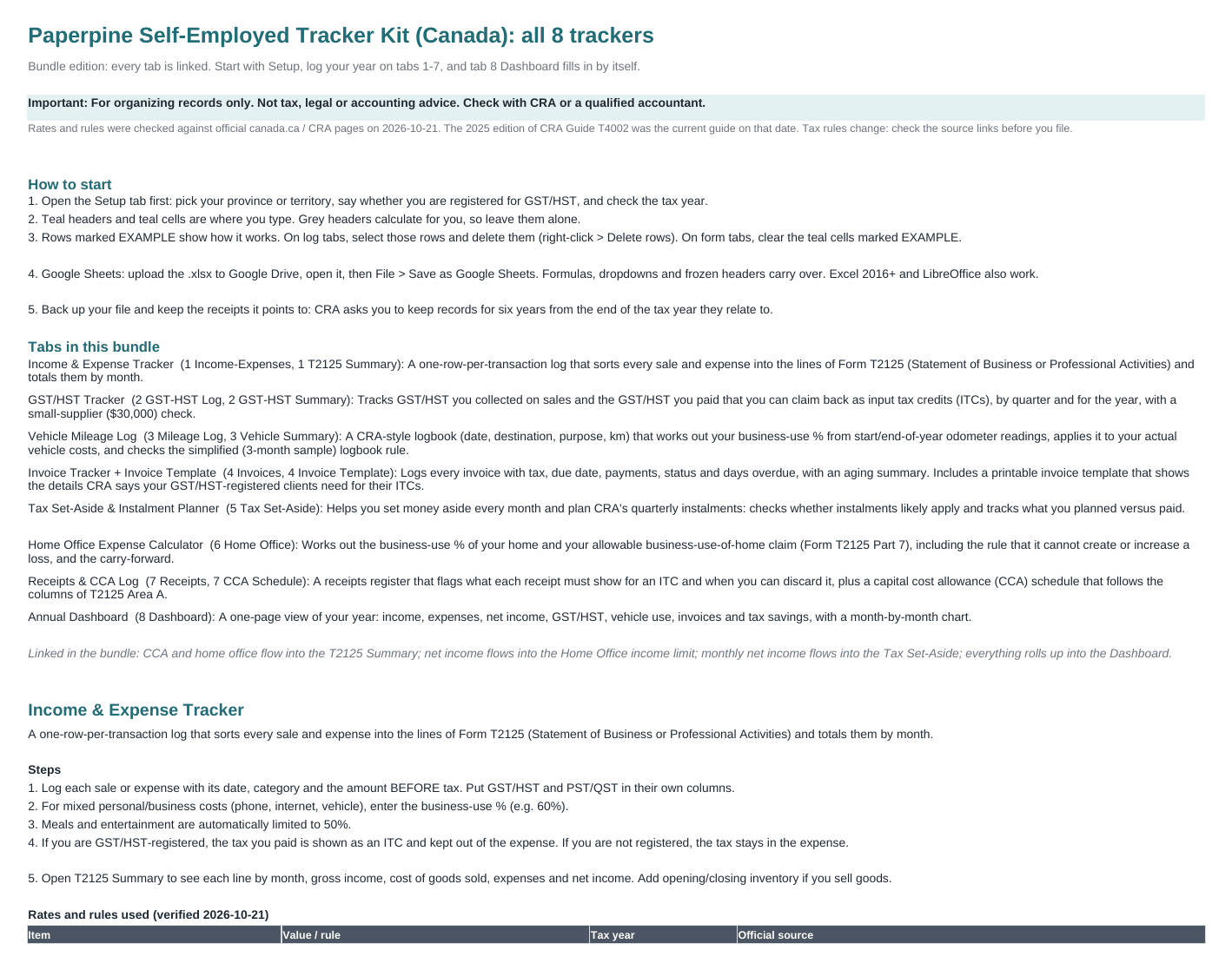
8 spreadsheet trackers: income and expenses by T2125 line, GST/HST and input tax credits, a CRA-style mileage logbook, invoices, tax instalments, home office, receipts and CCA. Each rate links to the canada.ca page it comes from.
Built around the forms you actually deal with: Form T2125, your GST/HST return, CRA's logbook rules and quarterly instalments.
Every expense lands on its Form T2125 line as you log it, so your year-end totals are already there.
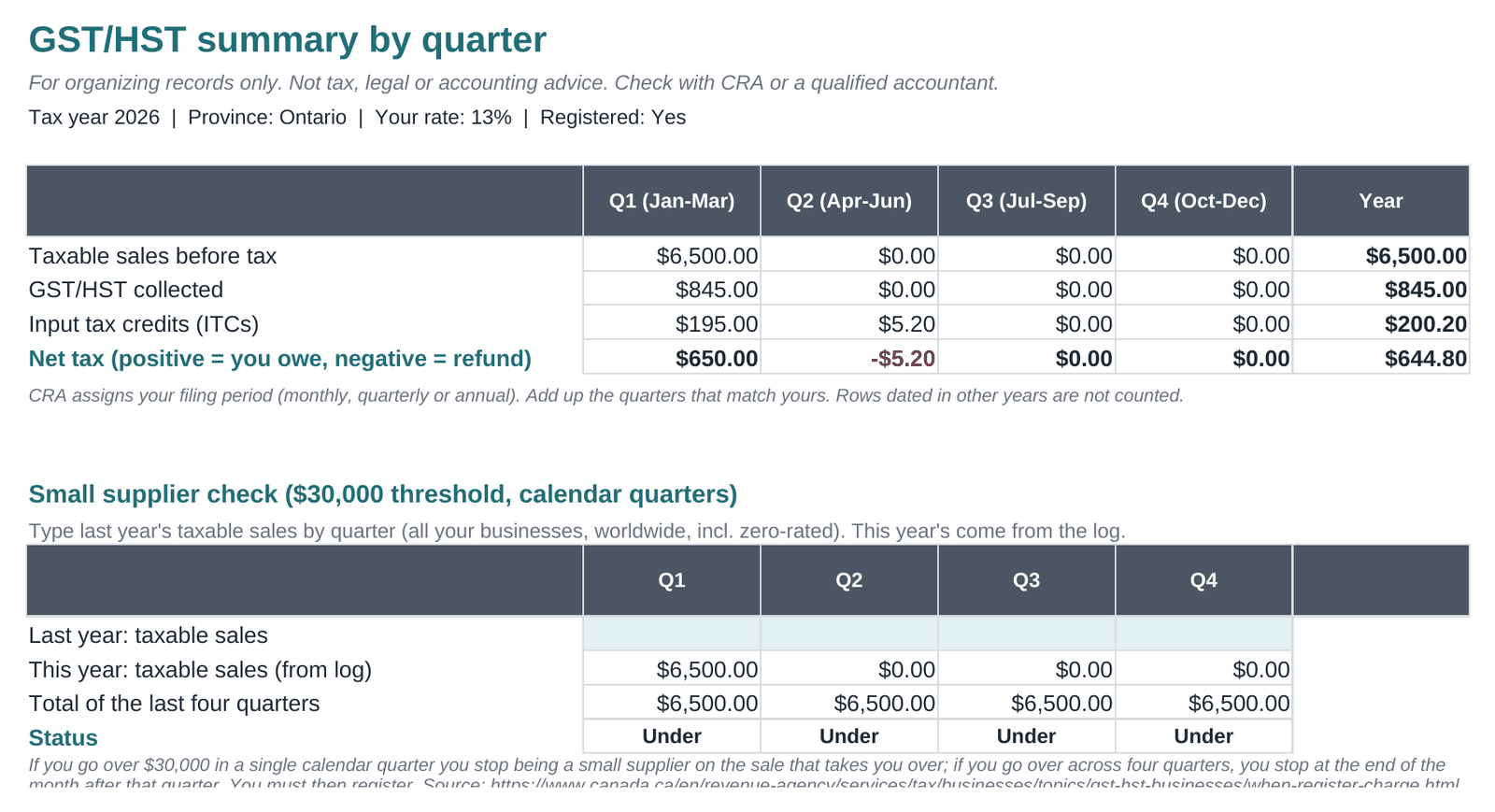
Input tax credits are worked out row by row and totalled by quarter, so the GST/HST you paid on business costs isn't forgotten.
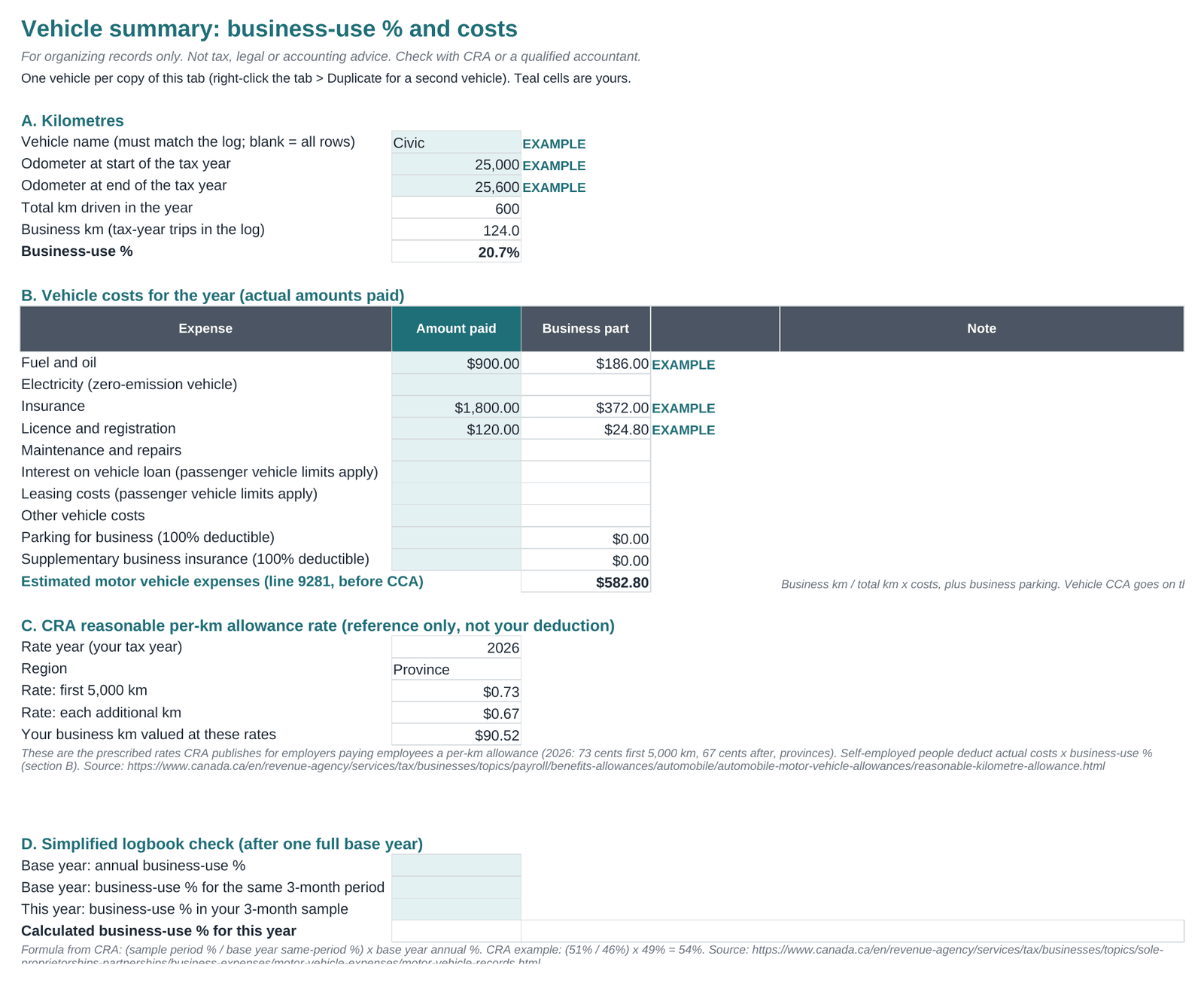
Date, destination, purpose and kilometres per trip, start and end odometer readings, your business-use % and the 3-month simplified logbook check.
Set aside part of each month's profit, see whether instalments are likely to apply, and track March, June, September and December payments.
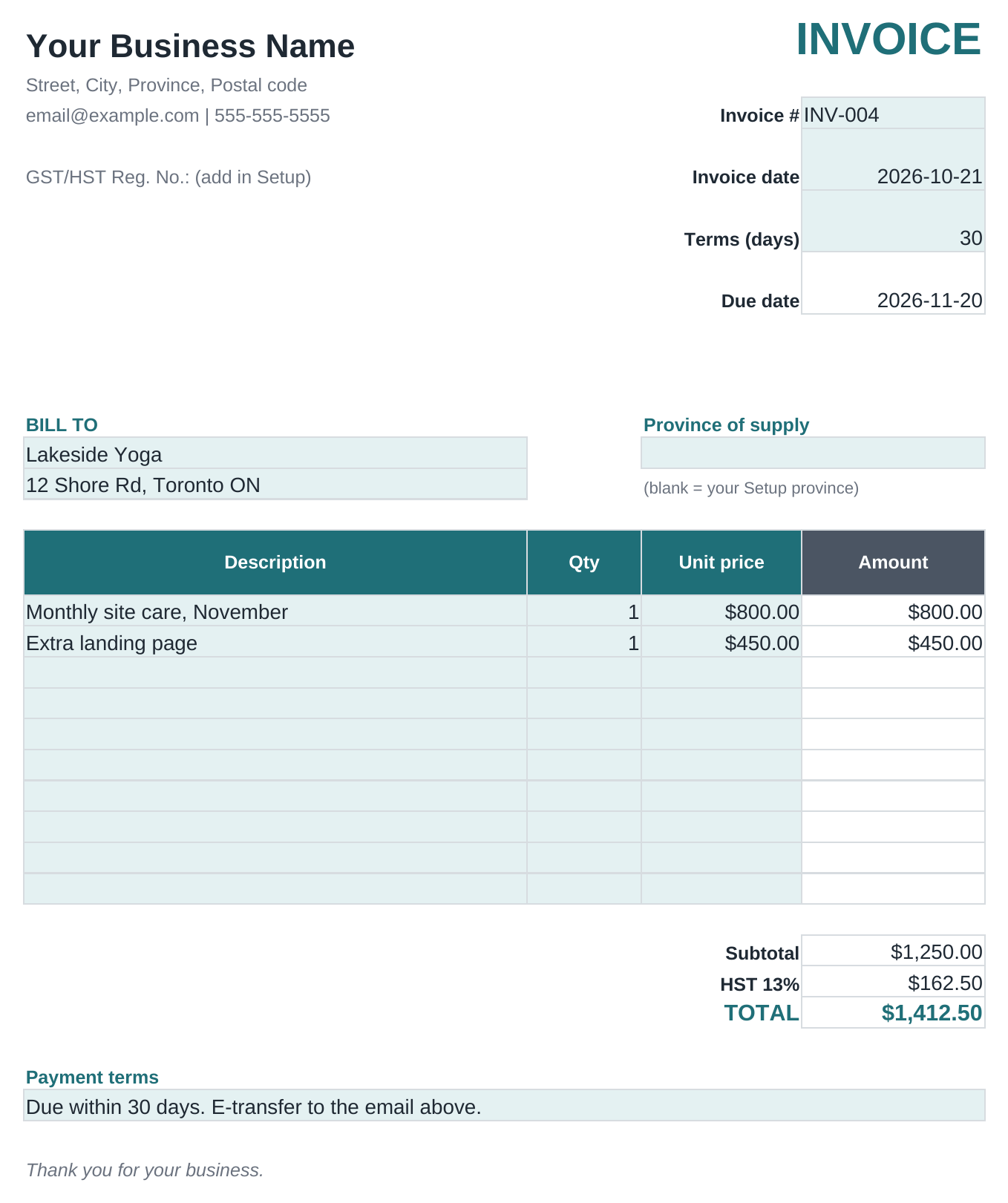
Invoice log with due dates, part payments, overdue flags and aging, plus a clean printable invoice template.
Every rate and rule is listed on the Instructions tab with its canada.ca link and tax year. Checked October 21, 2026.
Real screenshots of the files, with the example rows you delete in one step. Teal cells are where you type; grey cells calculate for you.


One workbook where the tabs talk to each other, plus all 8 separate files.
Bought separately, the 8 trackers cost CA$42.
Get the bundleInstant download · .xlsx for Google Sheets & Excel · Prices in Canadian dollars. The price you see is the final price: no tax is added.
For organizing records only. Not tax, legal or accounting advice. Check with CRA or a qualified accountant.
Each one is a standalone .xlsx with its own Instructions and Setup tabs.
25 T2125 categories, business-use %, the 50% meals limit, ITCs kept out of expenses, and a month-by-month summary to net income (line 9946).
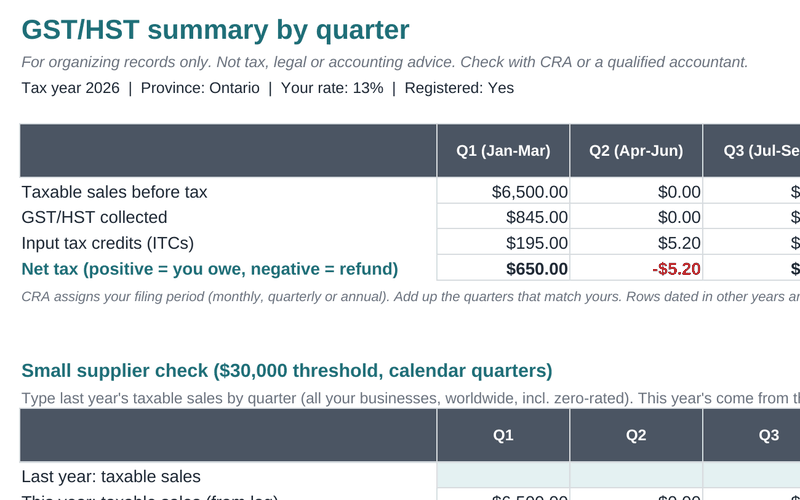
GST/HST collected vs ITCs by quarter and year, rates for every province and territory, PST/QST for reference, and the $30,000 small-supplier check.
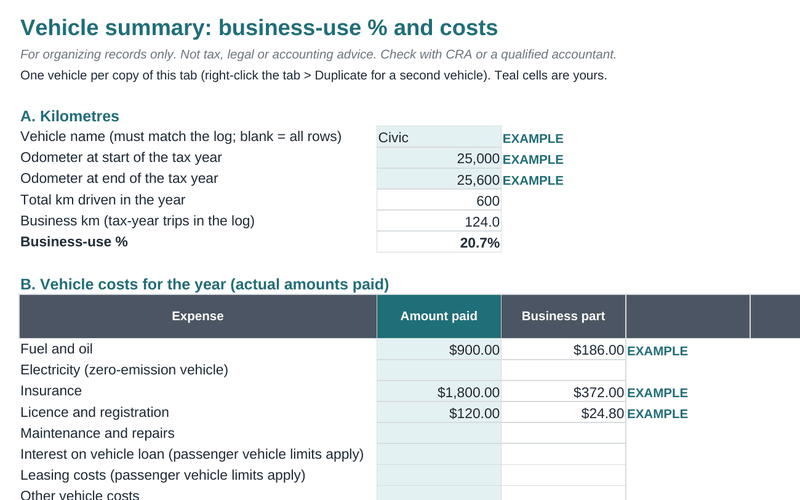
Trip-by-trip logbook, business-use % from odometer readings, actual-cost calculator, CRA's 2026 per-km rates for reference, and the simplified logbook test.
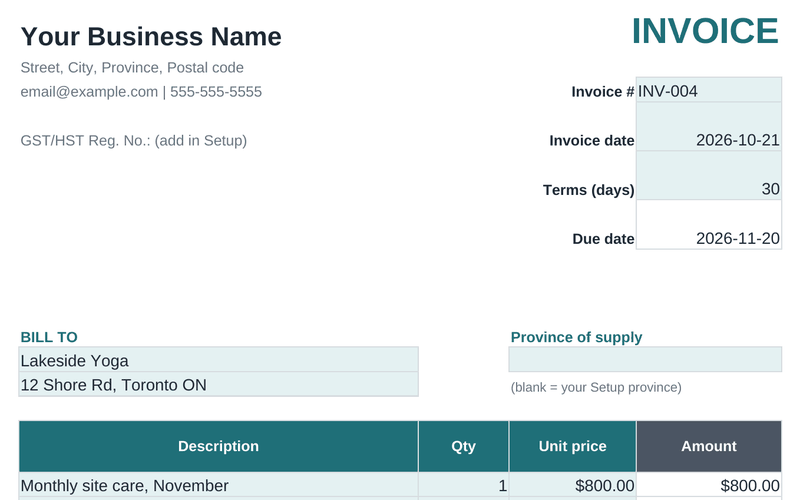
Invoice log with tax, due date, balance, status and days overdue, an aging summary, and a printable invoice with the details registered clients need for ITCs.
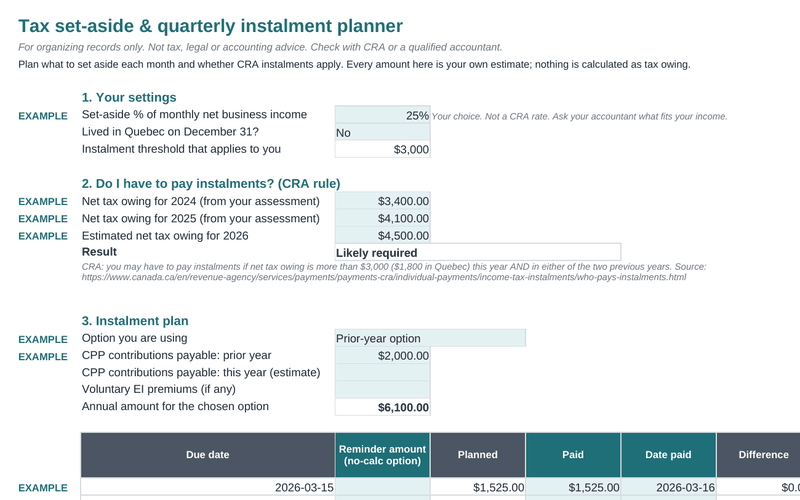
Monthly set-aside target vs what you moved, the instalment test, CRA's three instalment options, due dates with weekend warnings, planned vs paid.
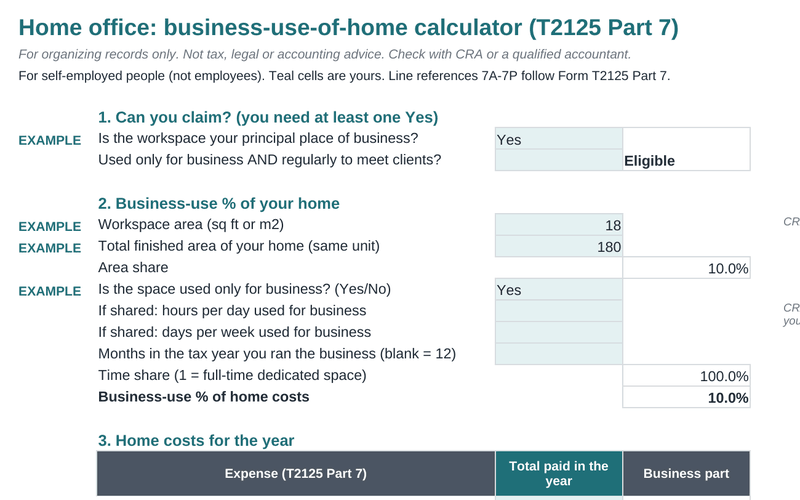
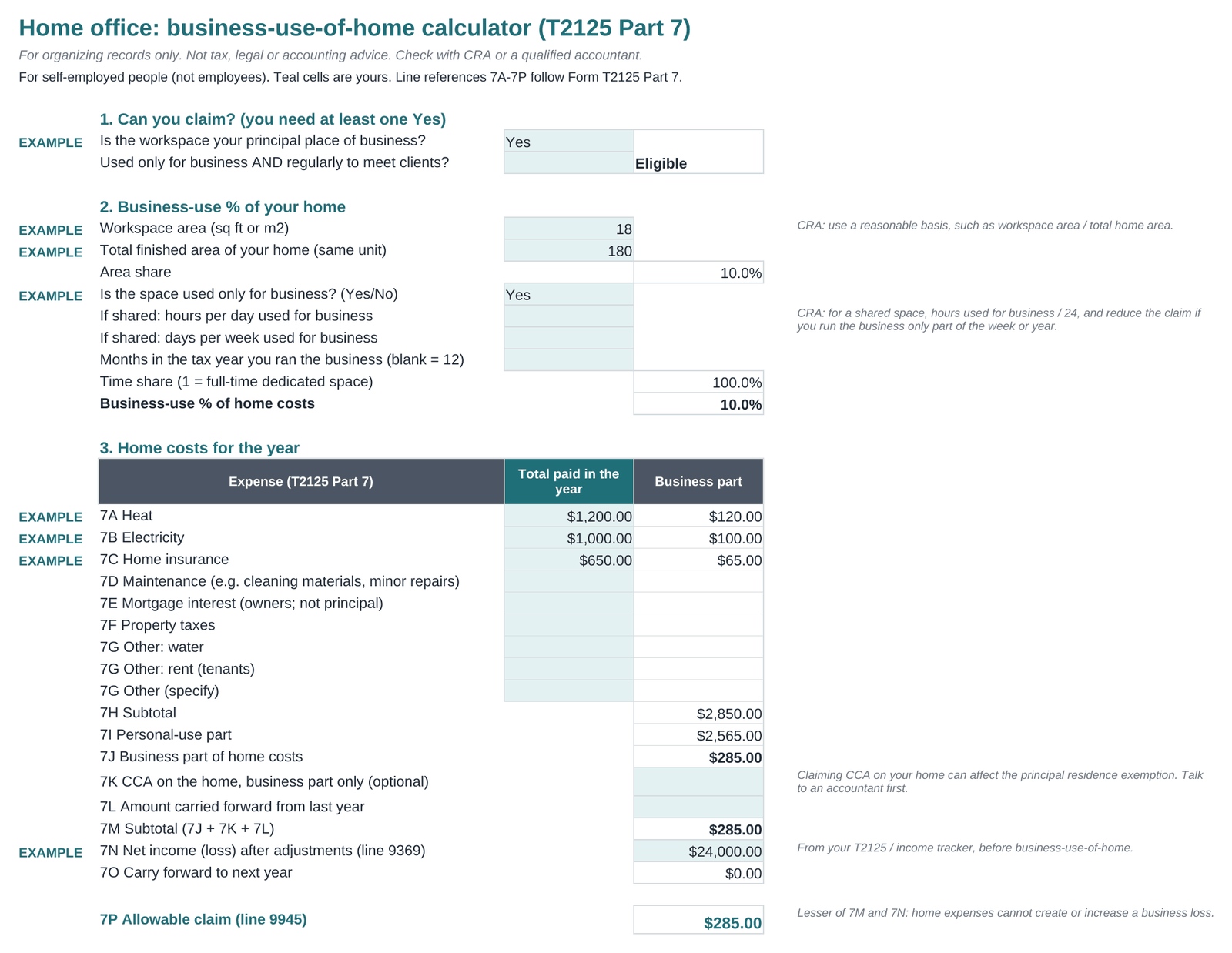
Eligibility questions, business-use % by area (and hours for a shared space), home costs by T2125 Part 7 line, the income limit and the carry-forward.
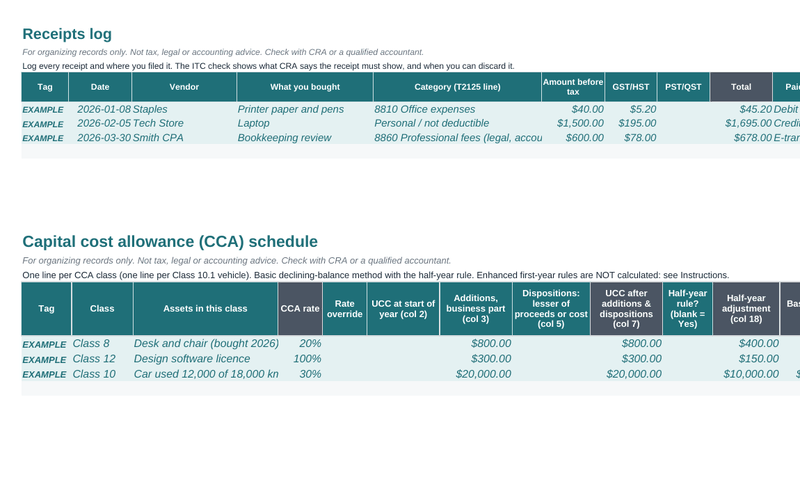
Receipt register that shows whether each receipt supports an ITC and when it can be discarded, plus a CCA schedule with the half-year rule and UCC carry-forward.
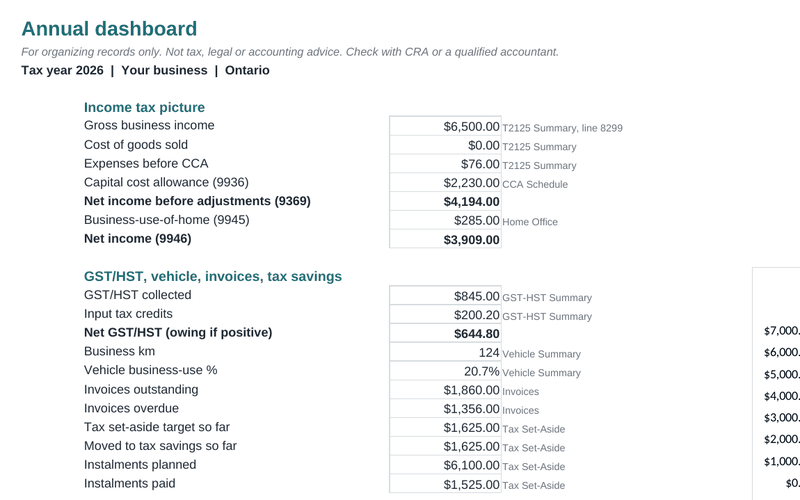
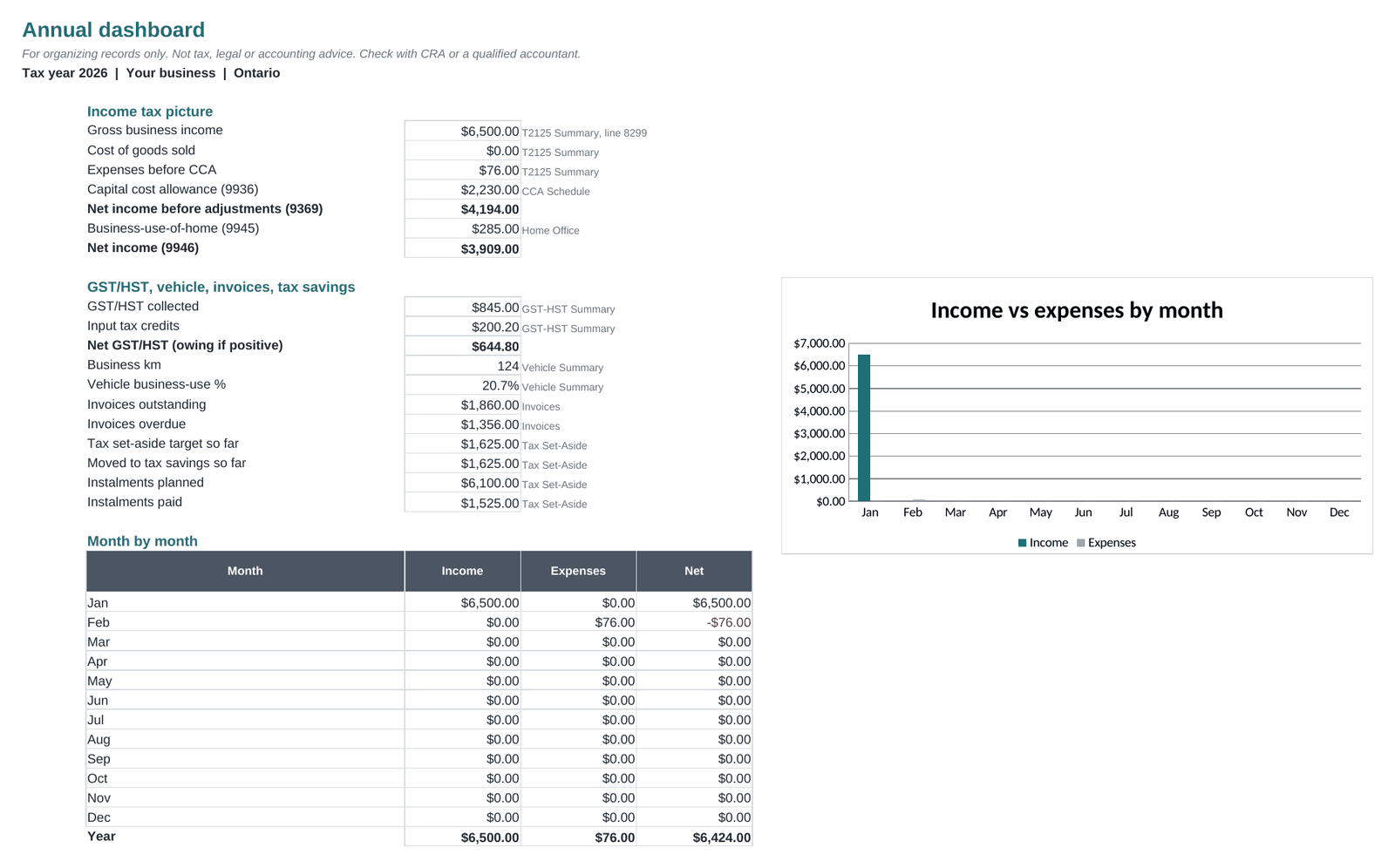
One page for your year: income, expenses, CCA, net income, GST/HST owing, vehicle use, invoices outstanding, tax saved and a monthly chart.
Every file includes an Instructions tab, a Setup tab, dropdown menus, frozen headers and 2-3 EXAMPLE rows you delete in one step. Want more than four? The bundle (CA$19 launch price) costs less and links them together.
Two free lite sheets, no email needed. Same .xlsx format: open in Google Sheets, Excel or LibreOffice.
Yes. For Google Sheets, upload the .xlsx to Google Drive, open it, and choose File > Save as Google Sheets. For Excel, just open the file (Excel 2016 or newer, or Excel for Mac). It also opens in LibreOffice. The files only use standard functions like SUMIFS, VLOOKUP and IF. There are no macros or scripts.
Yes. Pick your province or territory on the Setup tab and the right rate is used: 5% GST (AB, BC, MB, SK, QC and the territories), 13% HST in Ontario, 14% HST in Nova Scotia (since April 1, 2025), and 15% HST in New Brunswick, Newfoundland and Labrador and PEI. PST and QST rates are shown for reference only; the kit does not prepare PST or QST returns. Rates were checked against canada.ca on October 21, 2026.
Yes. Choose "No" on the Setup tab: invoices stop adding tax, and the GST/HST you pay stays in your expenses. The small-supplier check shows when you're getting close to CRA's $30,000 threshold.
No. Paperpine helps you organize your records and adds up the numbers you need for Form T2125 and your GST/HST return. It doesn't calculate income tax or CPP, and it doesn't file anything. It is not tax, legal or accounting advice. Bring your totals to your tax software or a qualified accountant, and check anything you're unsure about with CRA.
It's set up for the 2026 tax year. The T2125 lines follow CRA Guide T4002 (2025 edition, the current guide on October 21, 2026). You can change the tax year on the Setup tab; then check the rates listed on the Instructions tab, since some change every year.
Partly. GST and the federal instalment threshold for Quebec residents ($1,800) are covered. QST returns and the Quebec provincial return are not.
Right after checkout, Stripe sends you to a download page with your files. Save this page or download now. Lost it? Email nathanpinter@gmail.com with your Stripe receipt.
Yes. Minor fixes are free and emailed on request: email nathanpinter@gmail.com. Rates that change (per-km rates, instalment thresholds) are listed on each Instructions tab with their canada.ca source links, so you can check them yourself.
All sales are final. These are instant digital downloads: once you've downloaded the files, they can't be returned, so we don't offer refunds. Before you buy, please look at the free preview images on this page. They are real screenshots of the files, so you can see exactly what you're getting. If a file won't open or doesn't work properly, email nathanpinter@gmail.com and we'll help you fix it.
No. The price you see is the price you pay. No GST/HST or other sales tax is added at checkout.
One business may use these files. Please don't resell or share them.
No. This site has no analytics, ads, cookies or tracking scripts. Payment is handled on Stripe's checkout page. The spreadsheets never connect to your bank or any online service.